FreeRADIUS Web GUI: How to Manage RADIUS Clients
Short answer: FreeRADIUS has no built-in web interface. Separate web GUIs
either keep their data in the FreeRADIUS SQL database, as daloRADIUS does, or
edit the configuration files directly, as RadiusDeck does. To manage RADIUS
clients, the network devices listed in clients.conf, from a browser, run
RadiusDeck next to FreeRADIUS in
Docker and point it to the clients.conf your server loads. Add or edit a
client in the browser, check the configuration with freeradius -XC, restart
FreeRADIUS, and send a test request with radtest. RadiusDeck manages client
entries only: user accounts, SQL data and authentication policies stay in
FreeRADIUS.
- Tested with
- What the web GUI manages
- Requirements
- Run RadiusDeck next to FreeRADIUS
- Add a RADIUS client
- Apply the change: check and restart
- Test with radtest
- Change an address or rotate a shared secret
- Check Status and Logs
- Restore the latest backup
- Limitations
- Frequently asked questions
- Next steps
- Sources
Tested with
- FreeRADIUS 3.2.10, official Docker image
freeradius/freeradius-server:3.2.10, in its normal mode withradius.log. - RadiusDeck Community 0.1.1, image
ghcr.io/radiusdeck/radiusdeck:0.1.1, in Chromium. - Docker 29.9.2 on Linux.
- Last technical check: October 27, 2026.
Addresses come from the documentation range 192.0.2.0/24, and the secrets
are examples. Replace them with your own values. The FreeRADIUS server is
192.0.2.1, and the access point office-ap-01 is 192.0.2.10.
What the web GUI manages
A RADIUS client is a device that sends requests to FreeRADIUS: a wireless
access point, a switch, a VPN gateway. Each one needs an entry in
clients.conf with its source address and a shared secret. The people who log
in through these devices are users, and FreeRADIUS keeps them elsewhere: in
the users file, SQL, or LDAP.
| Task | RadiusDeck Community |
|---|---|
Add, edit and delete clients in clients.conf |
Yes |
| Change a device address or rotate its shared secret | Yes |
| Keep comments, blank lines, order and nested blocks of the file | Yes |
| Back up the file before each change, restore the latest backup | Yes |
| Show the last lines of the FreeRADIUS log | Yes, optional |
| Users, passwords, groups, SQL, LDAP | No |
| Policies, EAP, virtual servers, proxying | No |
If you need a web interface for users stored in SQL, look at tools built around the FreeRADIUS SQL schema, such as daloRADIUS. The rest of this guide covers clients.
Requirements
- FreeRADIUS that reads clients from a text
clients.conf. The file is/etc/freeradius/clients.confin the official Docker image and/etc/freeradius/3.0/clients.confin the Debian and Ubuntu packages. - Docker on the same host, because RadiusDeck edits the file directly.
- A way to restart FreeRADIUS. New and changed static clients take effect after a restart; the clients.conf guide explains why a reload is not enough.
Run RadiusDeck next to FreeRADIUS
Give RadiusDeck access to clients.conf
The RadiusDeck container runs as UID 10001 and has to write
clients.conf. FreeRADIUS still has to read it. Make UID 10001 the owner,
give the group to freerad, and remove access for everyone else.
Set three variables first. The values below are for the Debian and Ubuntu
packages. If FreeRADIUS runs in the official Docker image, use the host file
and log directory you mount into its container, and FREERAD_GID=101, the
freerad group inside that image.
CLIENTS_CONF=/etc/freeradius/3.0/clients.conf
FREERAD_LOG_DIR=/var/log/freeradius
FREERAD_GID="$(getent group freerad | cut -d: -f3)"

sudo cp -p "$CLIENTS_CONF" "$CLIENTS_CONF.before-radiusdeck"
sudo chown 10001:"$FREERAD_GID" "$CLIENTS_CONF"
sudo chmod 0640 "$CLIENTS_CONF"
Do not make the file writable for everyone. FreeRADIUS refuses to start with such a file:
Configuration file /etc/freeradius/clients.conf is globally writable. Refusing to start due to insecure configuration.
RadiusDeck writes the file in place, so the owner and permissions stay as you set them.
Start the container
docker volume create radiusdeck-backups
docker run -d --name radiusdeck --restart unless-stopped \
  --group-add "$FREERAD_GID" \
  -p 127.0.0.1:8000:8000 \
  --mount type=bind,source="$CLIENTS_CONF",target=/data/clients.conf \
  --mount type=bind,source="$FREERAD_LOG_DIR",target=/var/log/freeradius,readonly \
  --mount type=volume,source=radiusdeck-backups,target=/backups \
  -e APP_RADIUS_CLIENTS_PATH=/data/clients.conf \
  -e APP_BACKUP_DIR=/backups \
  -e APP_AUTH_METHOD=none \
  -e APP_FREERADIUS_LOG_VIEWER_ENABLED=true \
  -e APP_FREERADIUS_LOG_PATH=/var/log/freeradius/radius.log \
  ghcr.io/radiusdeck/radiusdeck:0.1.1
--group-addlets RadiusDeck readradius.log, which FreeRADIUS creates as0640 freerad:freerad.- The log mount and the two
APP_FREERADIUS_LOG_*variables are optional. Without them, the Logs page is disabled. - Backups go to the
radiusdeck-backupsvolume.
APP_AUTH_METHOD=none means no login, which is why the port is bound to
127.0.0.1. Before you open the interface to other hosts, enable local
authentication and HTTPS as described in the
RadiusDeck README.
Check that it started
docker inspect --format '{{.State.Health.Status}}' radiusdeck
Expected result: healthy. Open http://127.0.0.1:8000/ui/clients. The list
shows the clients already in the file.
This URL works in a browser on the FreeRADIUS host itself. If FreeRADIUS runs
on a remote server, 127.0.0.1 in your browser is your own computer, while the
port is published on the server. Open an SSH tunnel from your computer first:
ssh -N -L 8000:127.0.0.1:8000 user@radius-host
Replace user@radius-host with your SSH login. Keep the tunnel running and
open the same URL on your computer. The port stays closed to the network.
Add a RADIUS client
Fill in the New Client form:
- Name: a name for the device, here
office-ap-01. - IP Address: the source address FreeRADIUS sees in requests from the device. Behind NAT or Docker port publishing, it may differ from the device address; the unknown client guide shows how to find it in the log.
- Shared secret: the secret you will also configure on the device.
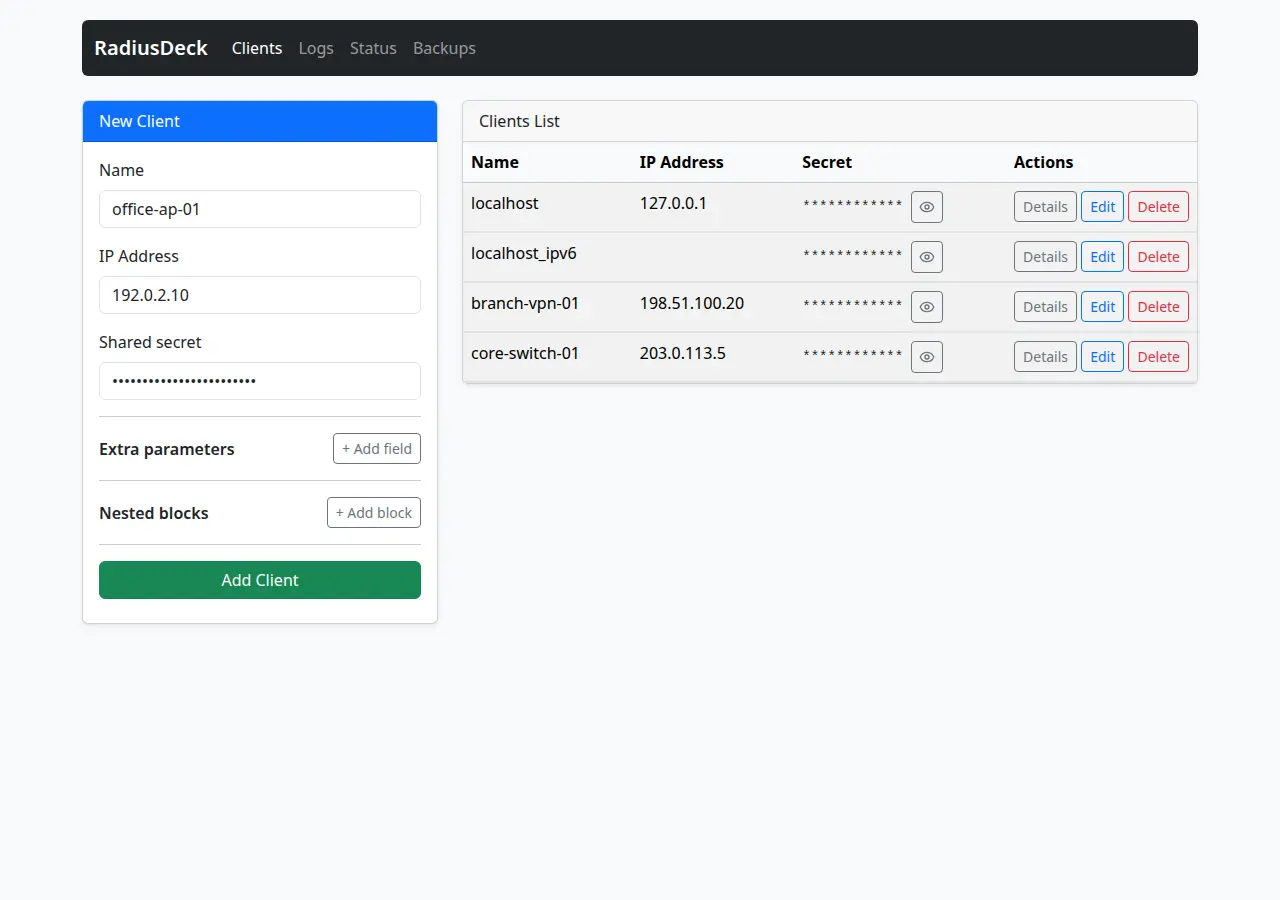 The New Client form. Existing clients are on the right; secrets are masked.
Click Add Client. RadiusDeck saves a backup of the file, then adds the client and reports the backup:
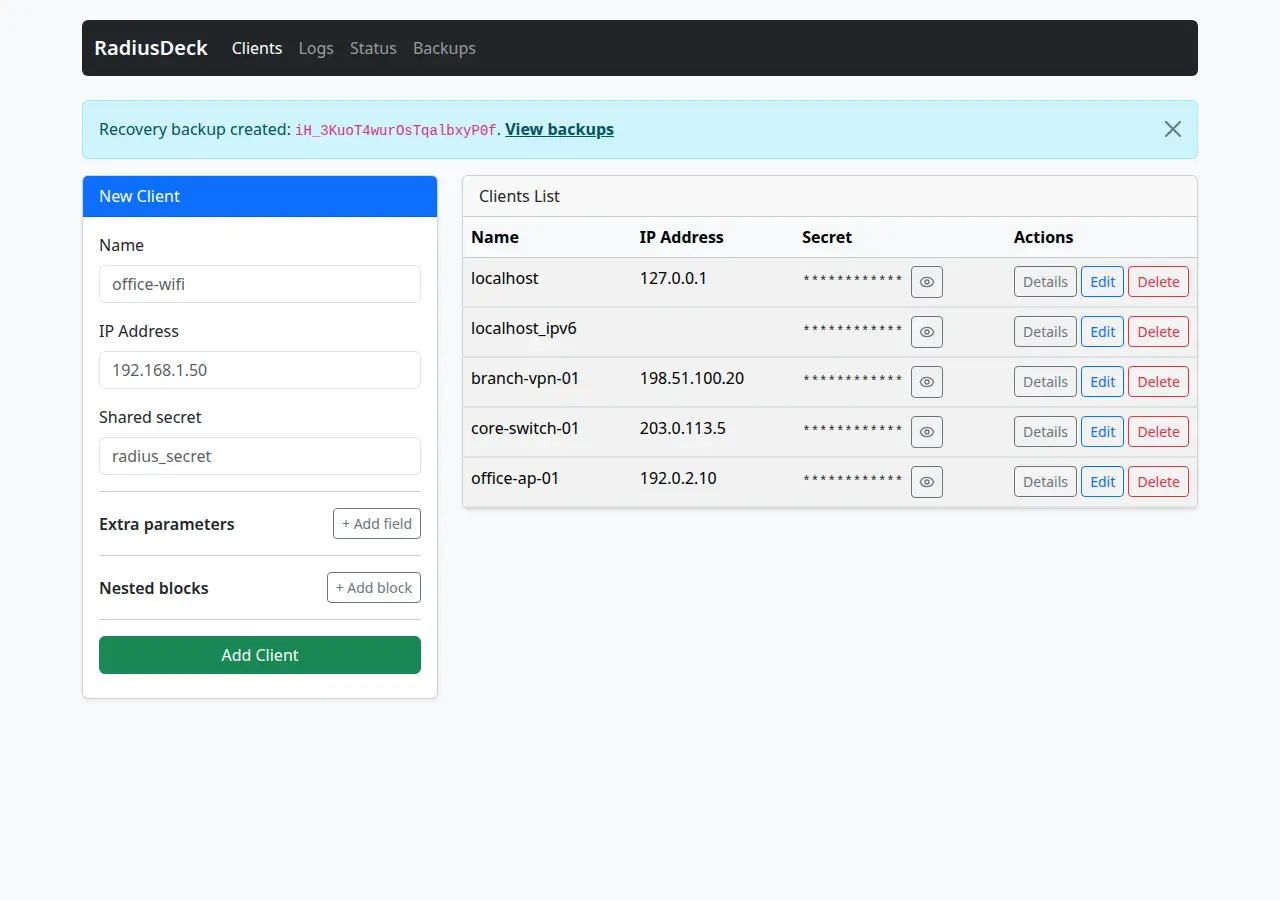 After saving: the new client in the list and the recovery backup message.
The new block is appended to clients.conf:
client office-ap-01 {
    ipaddr = 192.0.2.10
    secret = example-secret-change-me
}
Details shows the entry as it is in the file. The secret stays masked until you click the eye icon.
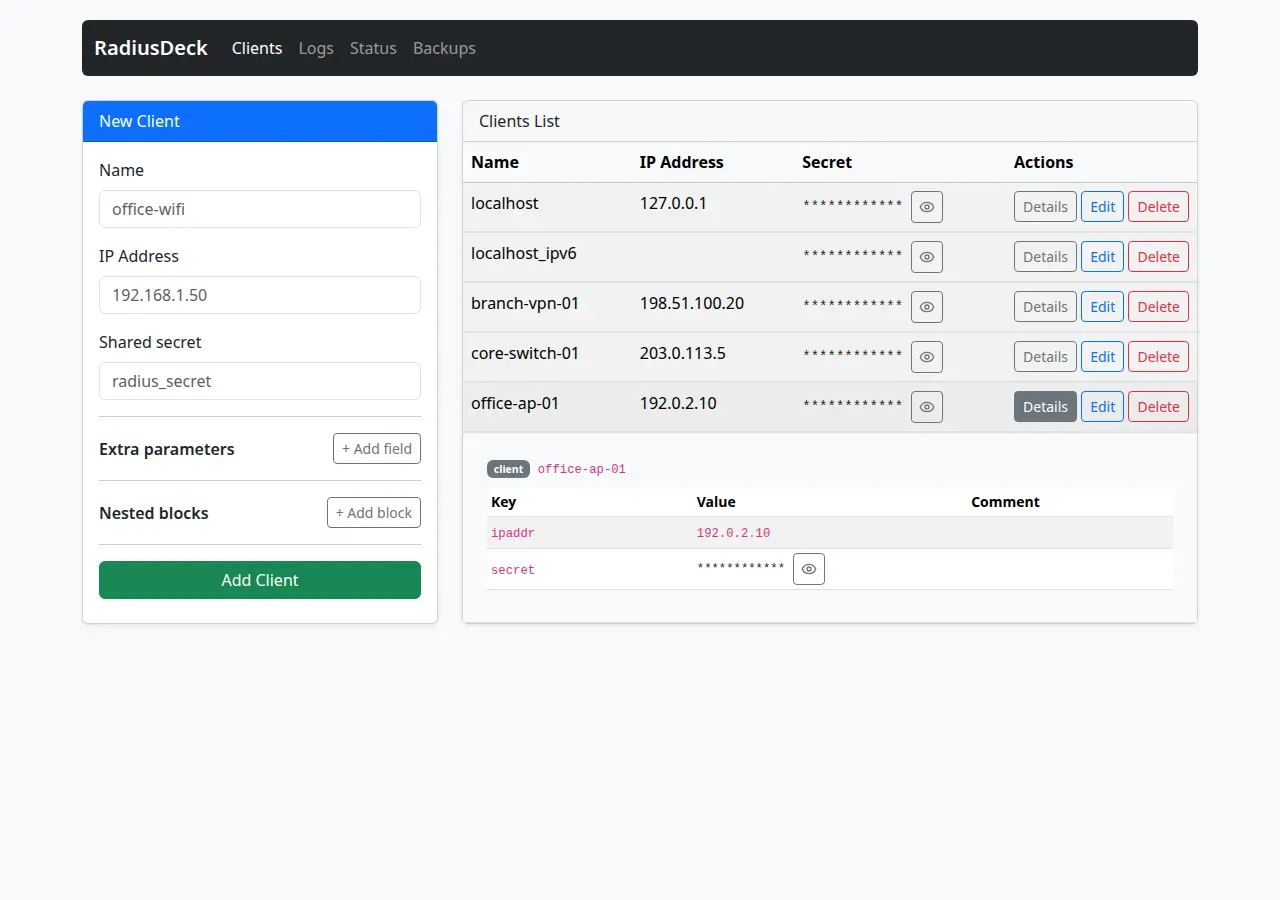 Client details. Comments and other parameters from the file appear here too.
Saving changes the file only. FreeRADIUS does not use the new client yet.
Apply the change: check and restart
Check the configuration, then restart FreeRADIUS. The && runs the restart
only if the check passes.
FreeRADIUS from the Debian or Ubuntu package:
sudo freeradius -XC &&
  sudo systemctl restart freeradius
FreeRADIUS in Docker, with a container named freeradius:
docker exec freeradius freeradius -XC &&
  docker restart freeradius
The check ends with:
Configuration appears to be OK
If the check reports an error, do not restart: FreeRADIUS would stop and fail to start again. Fix the configuration first, or restore the latest backup, and run the check again.
To restart FreeRADIUS automatically after each change, RadiusDeck supports an
optional reload sidecar that restarts the FreeRADIUS container. The
docker-compose.yml
in the repository shows that setup.
Test with radtest
The test request needs a user that FreeRADIUS knows. Use an existing account,
or add a test one at the top of the users file. In FreeRADIUS 3 this file is
mods-config/files/authorize:
/etc/freeradius/3.0/mods-config/files/authorize in the Debian and Ubuntu
packages and /etc/freeradius/mods-config/files/authorize in the official
Docker image. Our test used:
lab-user Cleartext-Password := "lab-password"
Then check and restart FreeRADIUS as above. Remove the test account when you are done.
Send a test request from the device, or run
radtest
on a host with the client’s address, 192.0.2.10 here:
radtest lab-user lab-password 192.0.2.1 0 example-secret-change-me
Sent Access-Request Id 11 from 0.0.0.0:35420 to 192.0.2.1:1812 length 78
	User-Name = "lab-user"
	User-Password = "lab-password"
	NAS-IP-Address = 192.0.2.10
	NAS-Port = 0
	Message-Authenticator = 0x00
	Cleartext-Password = "lab-password"
Received Access-Accept Id 11 from 192.0.2.1:1812 to 192.0.2.10:35420 length 38
	Message-Authenticator = 0x67108a47e97c8f7e75258e93f1b5f962
Access-Accept confirms the client entry, the secret and the user. With a
known client but an unknown user, the answer is Access-Reject: the client
part works, and the problem is in the user or policy configuration. No reply
at all usually means an unknown client or a wrong secret; the FreeRADIUS log
tells which.
Change an address or rotate a shared secret
Click Edit next to the client. The form opens with the current values; the Shared secret field is empty.
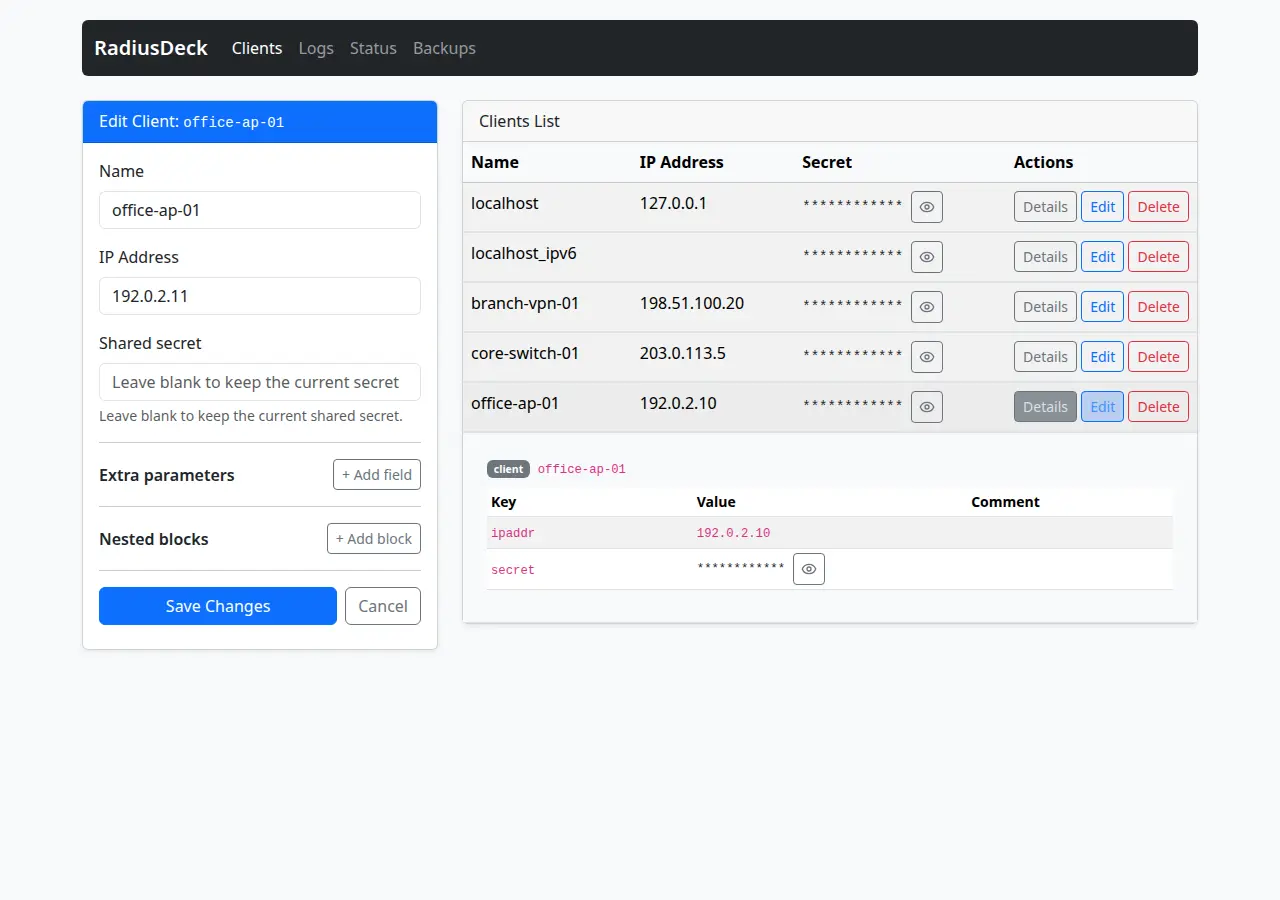 Editing a client. An empty secret field keeps the current secret.
- New address, same secret. Change IP Address and leave the secret
field empty. After Save Changes, the block has the new
ipaddrand the oldsecretline. - New secret. Type the new secret and save. Configure the same secret on the device.
In both cases, check and restart FreeRADIUS as above, then test again. In our
test, requests from the old address 192.0.2.10 got no reply after the
address change, as from any unknown client. After the secret rotation,
requests with the old secret got no reply either, and radius.log showed:
Info: Dropping packet without response because of error: Received packet from 192.0.2.11 with invalid Message-Authenticator! (Shared secret is incorrect.) (from client office-ap-01)
Check Status and Logs
Status checks the setup: whether clients.conf exists, can be read,
written and parsed, whether the log and the backup directory are available,
and whether the latest backup passes its integrity check. A WARNING at the
top is expected without the reload sidecar.
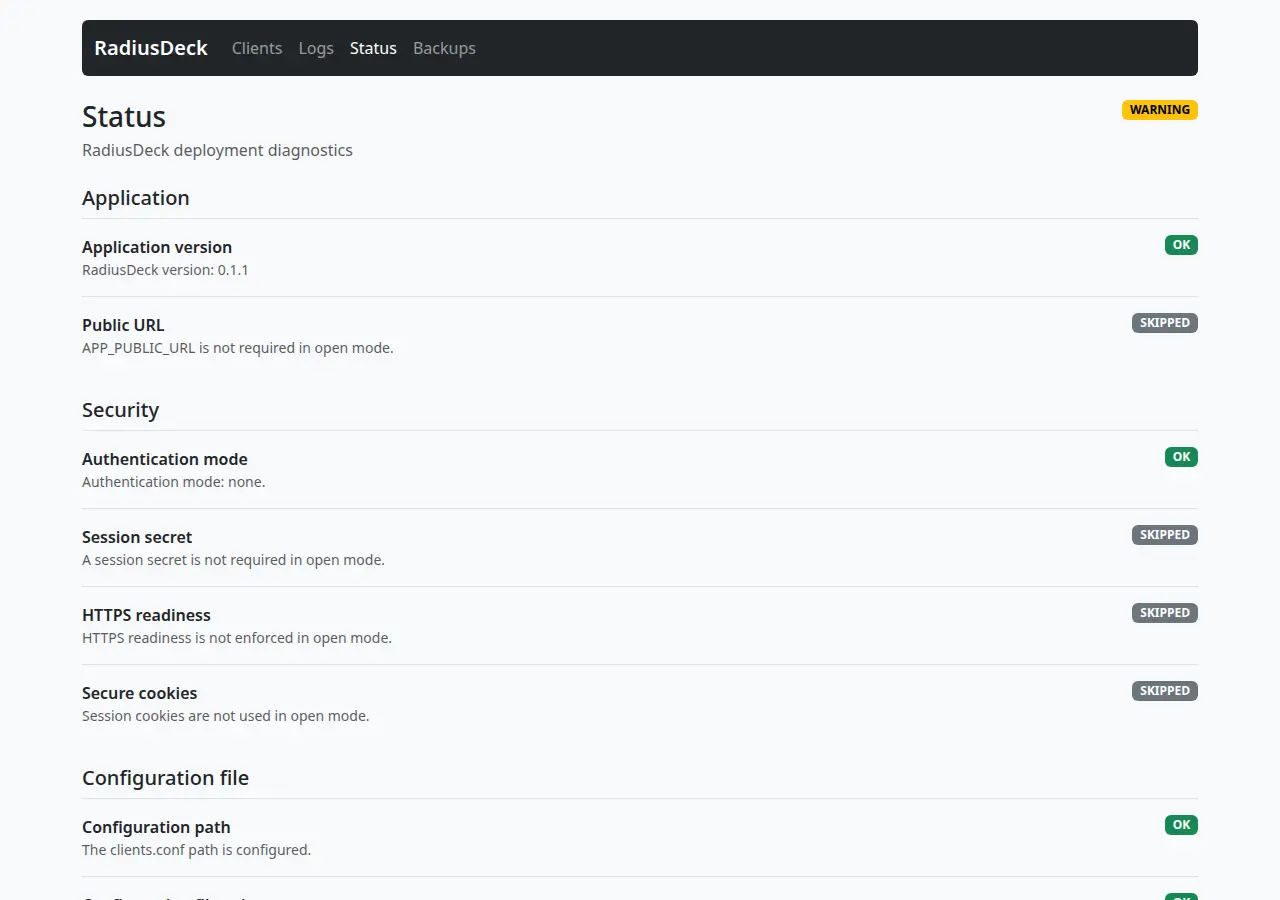 Status: each check shows OK, WARNING, ERROR or SKIPPED.
Logs shows the last lines of radius.log, up to 200. Values after
User-Password, password, secret and client_secret, and bearer tokens,
are replaced with <redacted>. Other text is shown as FreeRADIUS wrote it.
If you enable auth_badpass or auth_goodpass in radiusd.conf, FreeRADIUS
writes passwords in the form [user/password], and this form is not
redacted.
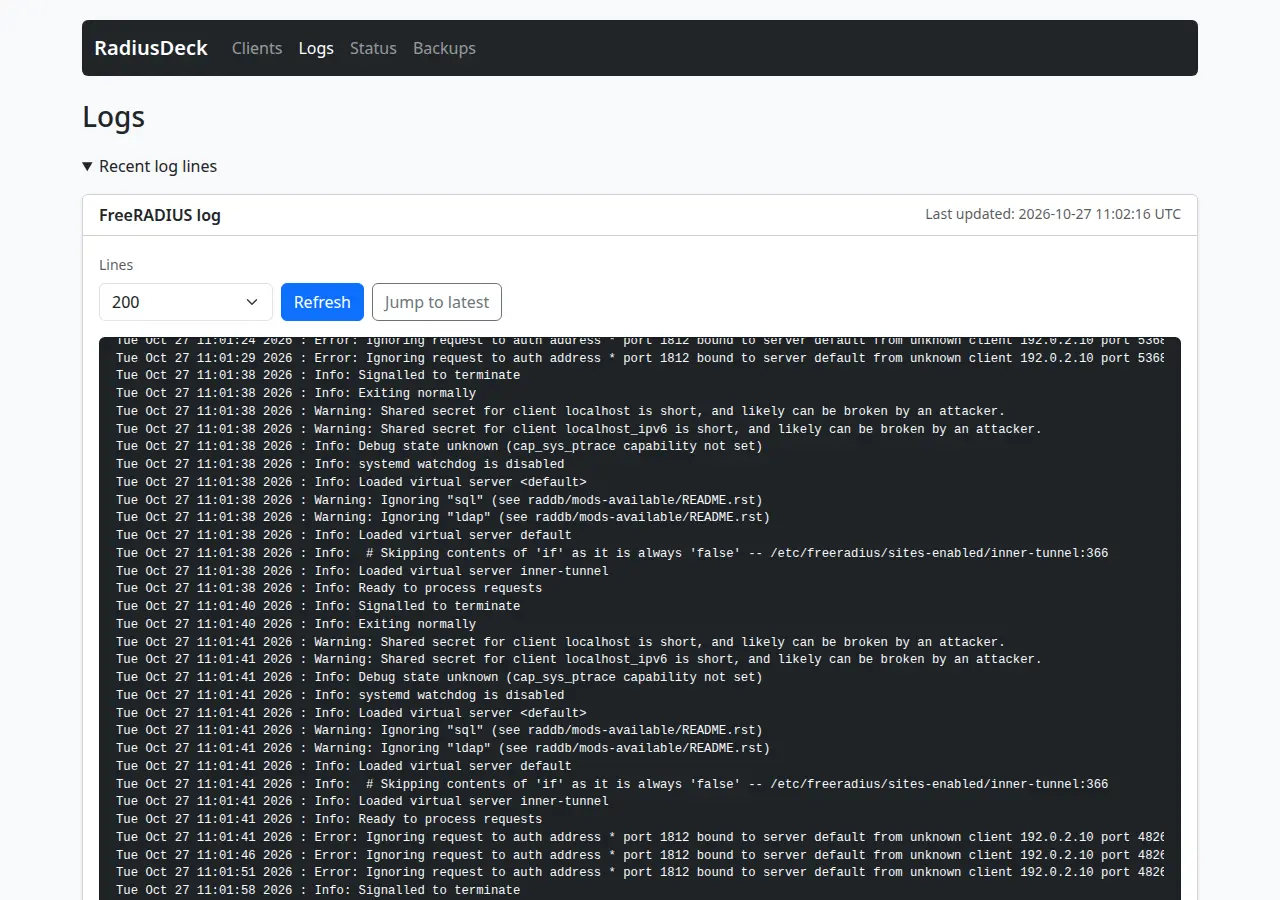 Logs: requests from 192.0.2.10 before the client was added, and FreeRADIUS restarts.
Restore the latest backup
RadiusDeck saves a copy of clients.conf before each change. Backups
lists the latest recovery point; Restore latest asks for confirmation and
creates a safety backup first.
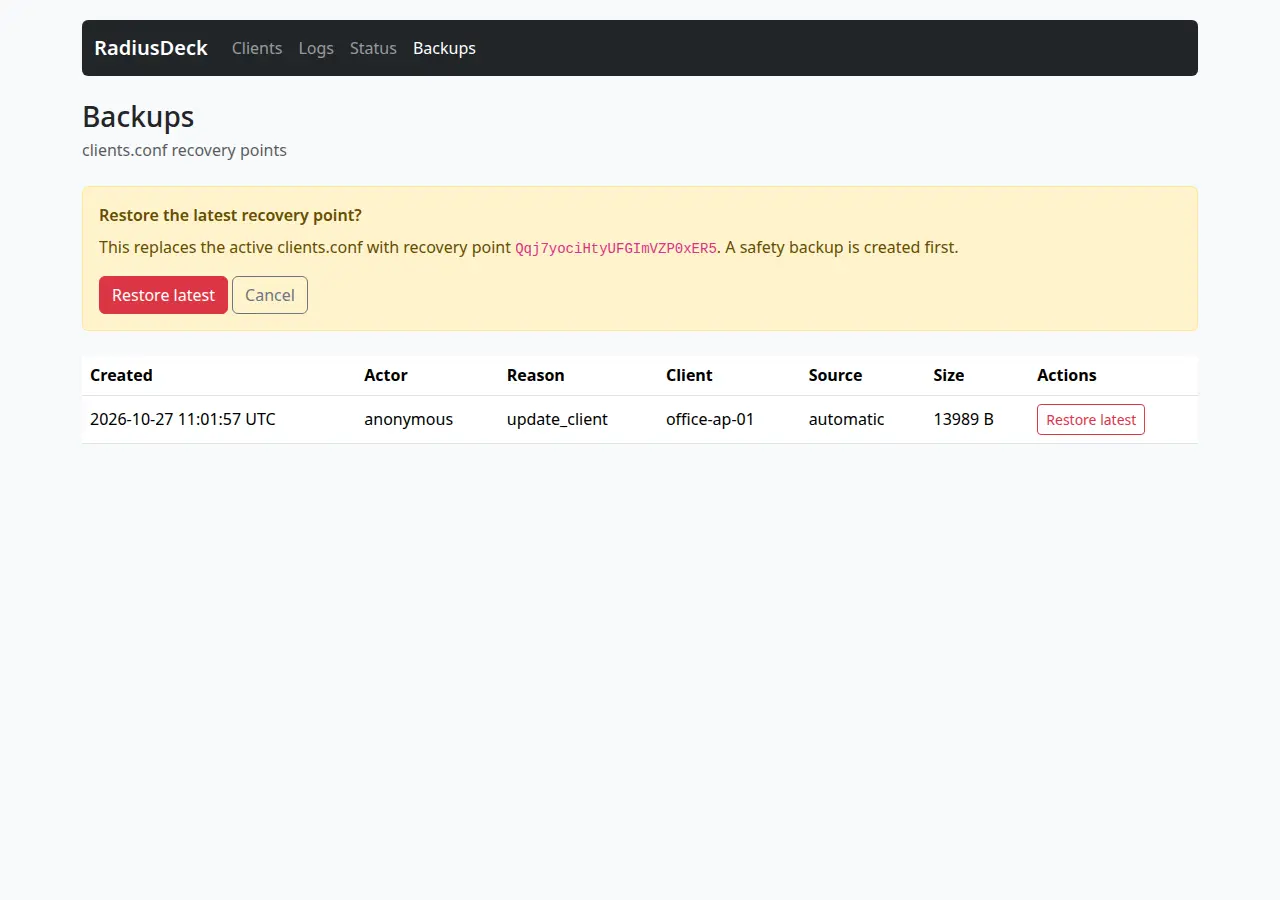 Restore latest replaces the active clients.conf with the recovery point.
The restore replaces the whole file, not one client. In our test, the latest recovery point was taken just before the secret rotation. Restoring it brought the old secret back and also removed a comment added to the file by hand after that point. Check and restart FreeRADIUS after a restore, as after any other change.
Limitations
- RadiusDeck edits one
clients.conffile. Clients in other files, in SQL, or inside aserversection of another file are outside its view. - Version 0.1.1 cannot open a
clients.confthat contains an$INCLUDEline: the Clients page fails, and Status reports that the file could not be parsed. Move such clients into the file or keep that setup without RadiusDeck. - It does not restart FreeRADIUS by itself. Restart it yourself or set up the reload sidecar.
- Users, groups, SQL and LDAP data, policies and EAP settings are not managed.
- The Linux image is published for amd64.
Frequently asked questions
Does RadiusDeck change the formatting of clients.conf?
It keeps comments, blank lines, the order of entries and nested blocks, but
not the whitespace. On the first save, the whole file is rewritten with
four-space indentation and single spaces around = and before end-of-line
comments, so a file indented with tabs shows a large diff once. Keep the copy
from the first step if you want to compare.
Can I still edit clients.conf by hand?
Yes. RadiusDeck reads the file again for each page and change. Keep in mind that Restore latest returns the whole file to its saved state, including the parts you edited by hand.
Does it work with FreeRADIUS installed from packages?
RadiusDeck needs only the file and, optionally, the log, so the setup is the
same: the package paths are already in the commands above, and you restart
FreeRADIUS with systemctl restart freeradius. Our test ran FreeRADIUS in
Docker; with packages, check the owner and group of clients.conf with
ls -l before you change them.
Is it safe to open the interface to the network?
Not with APP_AUTH_METHOD=none. Anyone who reaches the port can change your
clients and view their secrets. Enable local authentication, put HTTPS in
front of it, and limit access to the management network.
Next steps
To understand each line of a client entry, subnets and Message-Authenticator, read FreeRADIUS clients.conf: Examples and Best Practices. If FreeRADIUS ignores a device after you add it, follow How to Fix FreeRADIUS Unknown Client Errors. All settings are in the RadiusDeck README, and the demo runs the same steps against a real FreeRADIUS server on your machine.
Sources
- clients.conf(5), FreeRADIUS 3.2.10.
- radtest(1), FreeRADIUS 3.2.10.
- Getting Started, FreeRADIUS wiki: adding a test user before
radtest. - Comments in the stock
clients.confandradiusd.confof FreeRADIUS 3.2.10. - Official FreeRADIUS Docker image, Docker Hub.
- RadiusDeck README.